Technology
AI Grading Agent for Handwritten Answer Sheets: How It Works
June 2026 · 8 min read · By Proctor AI Team
An AI grading agent is software that reads a student's answer sheet, compares it to your rubric, and assigns a score with feedback, the same way a teacher would, but in seconds per paper. Proctor AI is built as an agent you talk to in plain language. You upload the papers, tell it what to do, and it grades the whole class while you stay in control of every result.
- 93% Grading accuracy
- 90%+ Time saved
- Minutes Per full class
- 2,000+ Teachers
Marking handwritten answer sheets by hand is the single biggest time sink in teaching. A set of 40 descriptive papers can take a full evening. The chart below shows the gap between marking that set by hand and handing it to the agent.
How does an AI grading agent read handwriting?
The agent first converts each scanned page into text using handwriting recognition (OCR) tuned for messy, real classroom handwriting. It does not just read words in isolation. It also understands the structure of the page: which marks belong to which question, where a diagram sits, and where one answer ends and the next begins.
Because the model reads the answer in context, it copes with crossed-out lines, arrows, margin notes, and answers written out of order. For subjects like chemistry or mathematics it reads equations and working, not only the final answer, so partial credit is possible.
How does it decide the marks?
Once the answer is read, the agent compares it against the marking scheme you provide. You can hand it a model answer, a rubric, or simply describe what a full-mark response looks like. The agent then reasons through each answer point by point and assigns marks for the ideas that are present, not just exact keyword matches.
Manual grading vs an AI grading agent
| What matters | Manual grading | Proctor AI agent |
|---|---|---|
| Time per 40 papers | 4 to 6 hours | About 12 minutes |
| Consistency across papers | Drifts when tired | Same standard every paper |
| Partial marks for working | Yes, if you have time | Yes, automatically |
| Written feedback per student | Rarely, too slow | Every student |
| Copying and AI-text check | Almost impossible by eye | Runs across the whole class |
| Final decision | Teacher | Teacher |
Why bulk grading is the real time saver
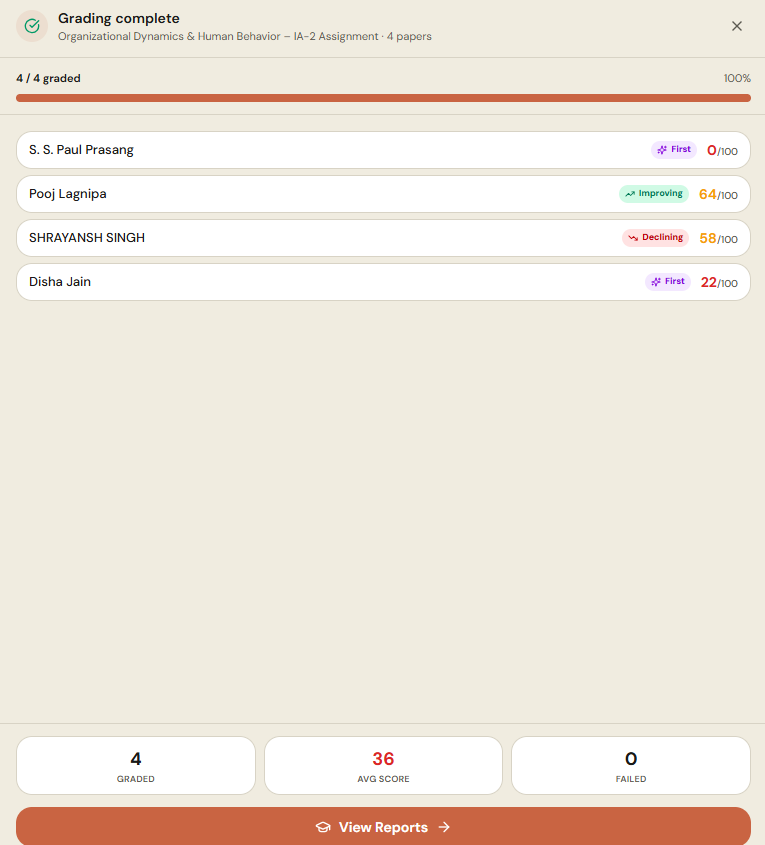
You do not feed papers one at a time. Upload a single PDF of the entire class and the agent splits it into individual submissions on its own, then grades each one. A task that used to take an evening finishes while you make a cup of tea.
The point of an AI grading agent is not to remove the teacher. It is to remove the repetitive part so the teacher can spend time on the students who need it.
Getting started
You can try the grading agent free. Create an assignment, upload a class set, and watch the first batch come back graded in minutes. From there you can ask for reports, integrity checks, and question-by-question analysis in the same conversation.
Frequently asked questions
Can AI grade handwritten answer sheets accurately?
Yes. Proctor AI's grading agent uses handwriting recognition tuned for real classroom writing and reads answers in context, so it handles messy handwriting, crossed-out text, and working. Every score is a draft the teacher reviews and approves.
How long does it take to grade a class?
You upload one PDF of the whole class and the agent splits and grades every paper in minutes rather than hours. Teachers report cutting grading time by more than 90 percent.
Does the teacher stay in control of the marks?
Yes. Every mark is a reviewable draft. You can open any paper, see the reason for the score, change it, and nothing is shared with students until you approve it.